The Custom Code extension prints code you paste into the header or footer of your site, without editing a theme file. Use it for Google Analytics, Google Tag Manager, Search Console verification, a pixel or a live chat.
See it on the Custom Code demo page. The chat bubble on that page was added with this extension.
How to Add Custom Code
Step 1: Turn It On
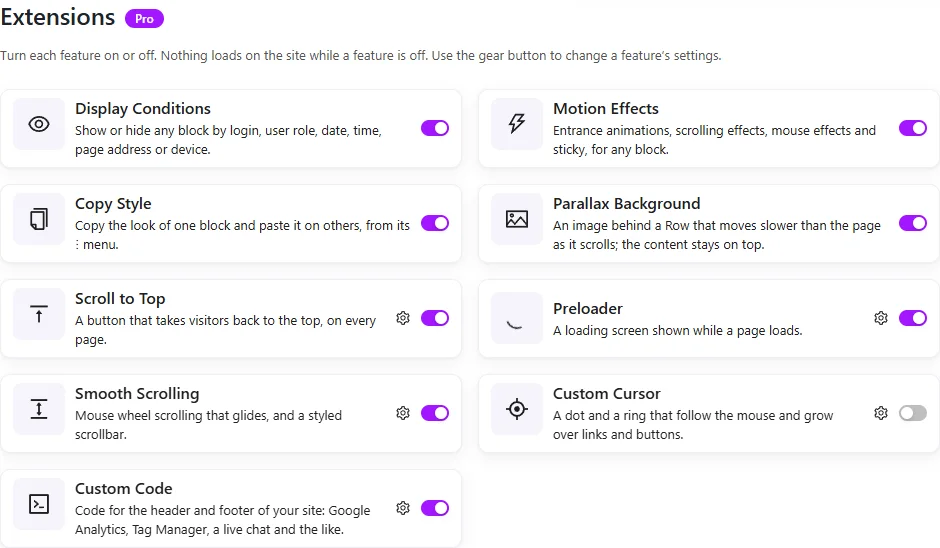
- In your dashboard, open ShapeBlock › Extensions.
- Find the Custom Code card and switch it on.
- Click the gear on the card to open its settings.
Step 2: Paste Your Code
Paste the code into the box it belongs in, with its own script tags. The grey text in an empty box is only an example of how the code looks, and it is never saved.
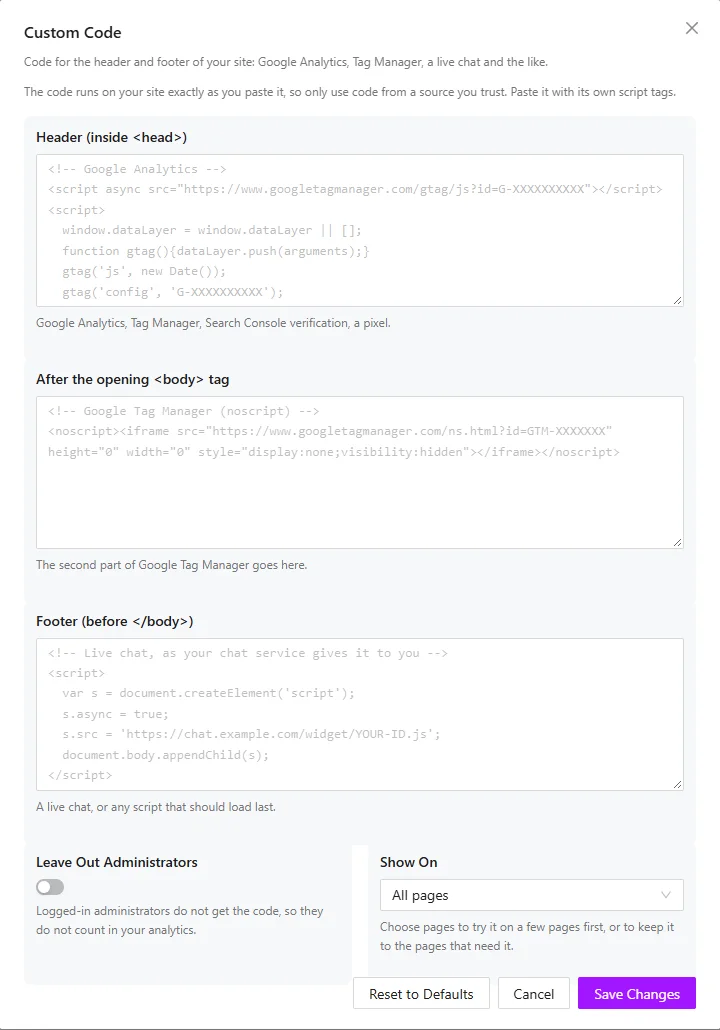
- Header (inside <head>): Google Analytics, Google Tag Manager, Search Console verification, a Meta or LinkedIn pixel.
- After the opening <body> tag: The noscript part of Google Tag Manager. If your theme does not support this spot, the code is printed in the footer instead.
- Footer (before </body>): A live chat such as Tawk.to or Crisp, a cookie banner, or any script that should load last.
Step 3: Save and Check
- Click Save Changes.
- Open your site in a private window, so you see it as a visitor does.
- If you use a caching plugin, clear its cache first.
Settings
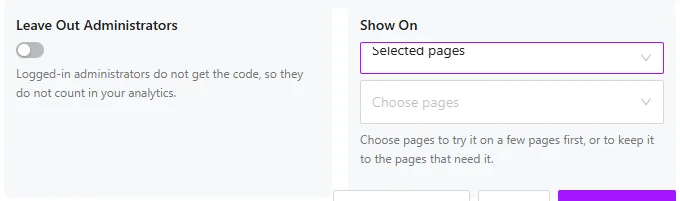
- Leave Out Administrators: Logged-in administrators do not get the code, so your own visits do not count in your analytics. Turn it off if you need to test the code while logged in.
- Show On: All pages, or Selected pages only, such as a thank-you page with a conversion tag. With Selected pages the code does not run on posts or archives.
If a Script Does Not Run
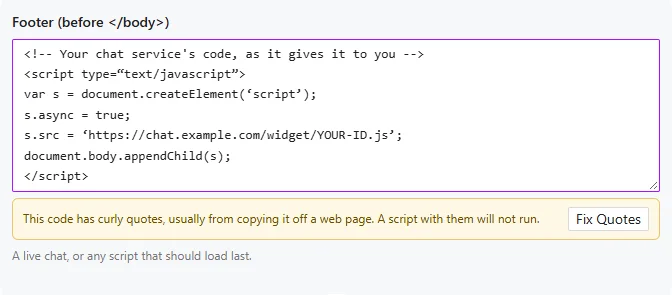
Code copied from a blog or a document often picks up curly quotes, and a script with curly quotes does not run. When a box has them, a warning appears under it. Click Fix Quotes to turn them into straight quotes.
Good to Know
- Only an administrator allowed to post unfiltered HTML can see or change the code. On a multisite network that is a super admin.
- The code is printed exactly as you paste it, so use only code from a service you trust.
- It runs on your site’s pages only, never in wp-admin or on the login page.
- With the extension off, nothing is printed.
- Export & Import does not carry this code. Paste it again on a new site.