Theme Builder
Everything around this text is a Theme Builder template.
Build your header, footer, single post, archive, search and 404 templates with blocks.
Video guides
Every Theme Builder block,
step by step.
Each video shows the block on the live demo first, then adds it to a template and sets it up.
Post Title
Featured Image
Post Content
Post Excerpt
Post Meta
Post Categories / Tags
Author Box
Post Pagination
Post Comments
Related Posts
Archive Title
Archive Description
Archive Posts
Theme Builder, in short
Builds the header, footer and page layouts every page shares, with blocks, and decides where each one shows.
Set it up
1ShapeBlock › Theme Builder › Add New
The Add New Template form opens.
2Template Name, Template Type, Display Conditions
Include or Exclude, then a rule.
3Create & Edit
Build it in the block editor.
In the settings
Template Type 11 on this site: Header, Footer, Single Post, Single Page, Archive, Search Results, 404 Page, and Single Product, Product Archive, Cart Page, Checkout Page (with WooCommerce).
Display Conditions 21 rules: General 7, Specific 2, Archives 5, WooCommerce 7. Exclude always wins.
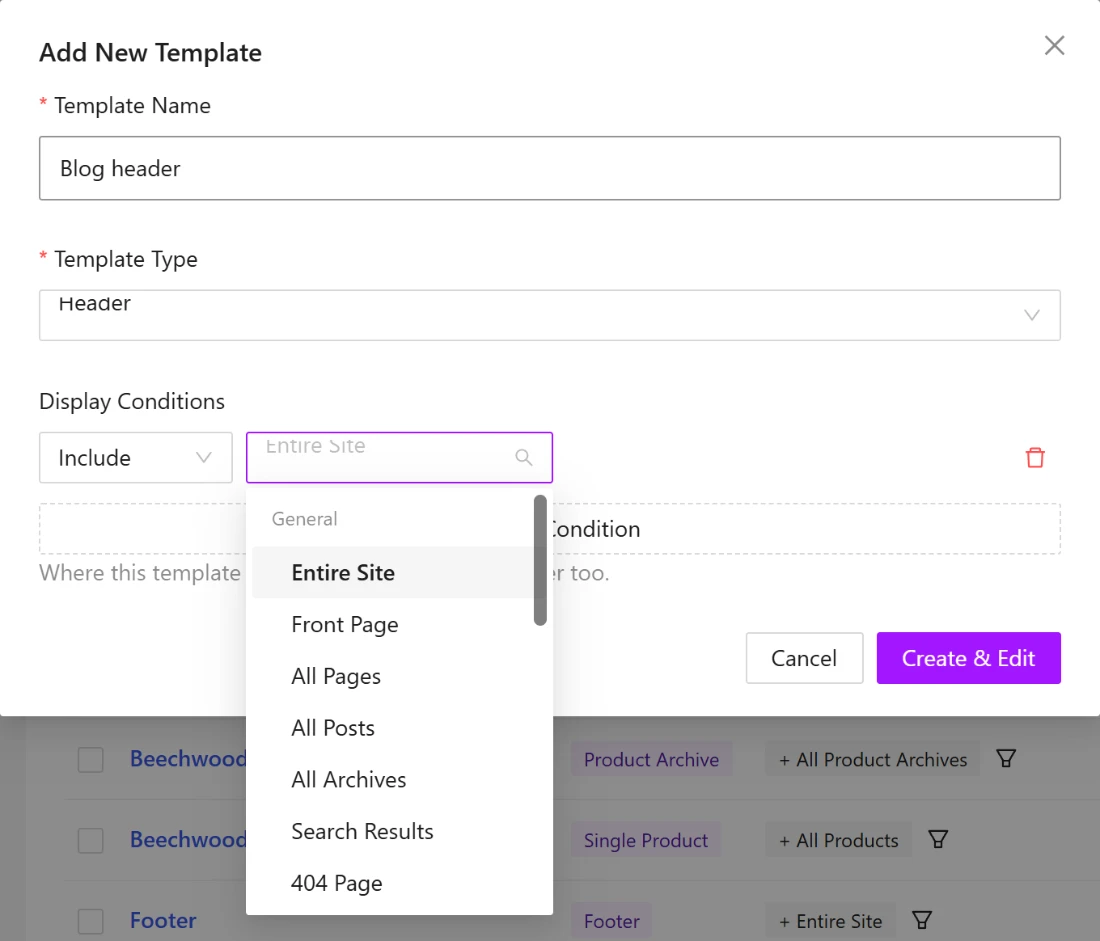

Add New Template, with the rule list open.
This site, behind the scenes
One header.
One footer.
Every page.
The menu you used to get here and the footer at the bottom are two templates, edited in the block editor like any page. Change a link in that menu and it changes on every page at once.
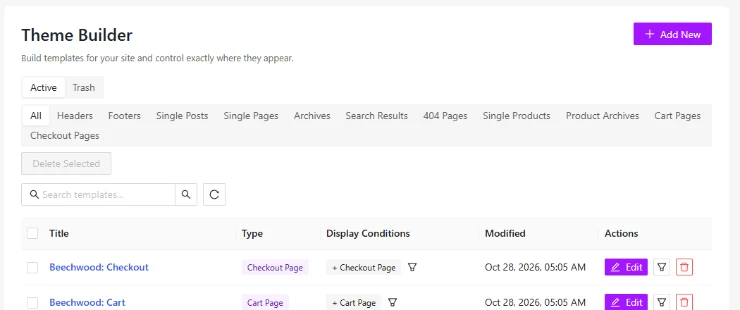
ShapeBlock › Theme Builder on this site. Tabs across the top filter by template type: headers, footers, single posts, archives, search results, 404 pages and the store templates.
Header template
The bar at the top of this page.
Logo, the Blocks and Features mega menus, Pricing, Resources and a Get Started button. Shown on the entire site.

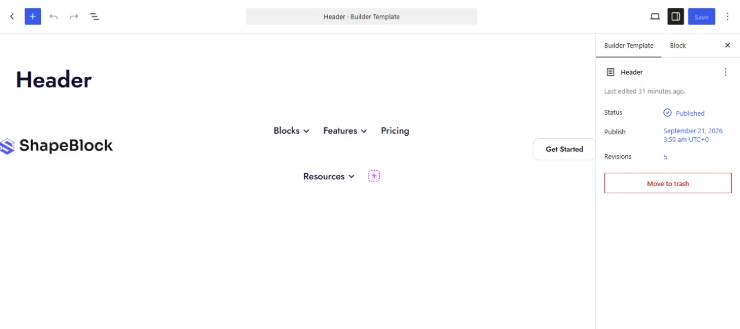
The same header open in the editor. It is a normal block layout: a Row, the Menu block and an Advanced Button.
Type
Header
Shown on
Entire site
Built with
Row, Menu, Advanced Button
Last changed
October 28, 2026
Footer template
Scroll to the bottom. That’s this.
A call to action, the questions people ask before buying, and the link columns. One template, edited once, on every page including this one.
Type
Footer
Shown on
Entire site
Includes
CTA, FAQ, links, newsletter

The footer in the editor.

What visitors see at the end of every page.
Template types
What each template replaces.
Free ShapeBlock has Header and Footer. Pro adds the rest of the page types, plus popups and mega menus.
Template
Replaces
Typical condition
Header
The top of every page: logo, menu, buttons.
Entire site
Footer
The bottom of every page.
Entire site, minus the checkout
Single Post Pro
Everything between header and footer on a blog post.
All posts, or chosen posts
Single Page Pro
The layout around a page’s own content.
All pages, or chosen pages
Archive Pro
Category, tag, author, date pages and the blog.
Category pages
Search Results Pro
The page after someone searches.
Search
404 Page Pro
What a broken or old link lands on.
404
Popup Pro
A box that opens on scroll, exit, a click or a timer.
Chosen pages

Single post
A blog post, top to bottom.
Title, category, author and date, featured image, then the article. A Single Post template sets that order once, with blocks, for every post or only the ones you pick.
Archive
A category page.
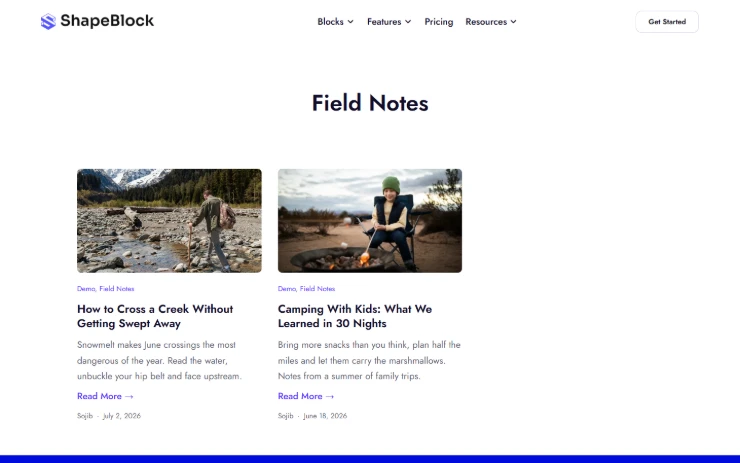
The Field Notes category: a title, then the posts in a grid with image, excerpt and a read-more link. An Archive template can cover the blog, every category, tags, authors and dates, or just some of them.
Search results and 404
The two pages nobody designs. Until someone lands on them.
Search “pie” here and you get two recipes and a pair of store blocks. Mistype an address and you get the page on the right, with a search box so the visit isn’t over.


Display conditions
Say where a template shows. Then say where it doesn’t.
Include rules add places, exclude rules take them away, and exclude always wins. The store templates on this site are each limited to one page that way.
1
Create the template
ShapeBlock › Theme Builder › Add New. Pick the type and give it a name you will recognise in a year.
2
Build it with blocks
The same editor as your pages. Every ShapeBlock block works in a template, including the Menu and Post Grid.
3
Set the conditions
Entire site, all posts, a category, chosen pages, search, 404. Add an exclude rule for the exceptions.
Change the header once. It changes everywhere.
Header and Footer templates come with free ShapeBlock. Single post, page, archive, search, 404 and popups are in Pro.